Learn How to Use Mouse Button Control →
Your Mouse. Your Rules.
Give your mouse buttons more than one purpose. Assign different actions to single clicks, double clicks, triple clicks and holds to control media, manage windows, launch apps and simplify your everyday workflow with Mouse Button Control for Windows 10 and Windows 11.
 Launching Soon
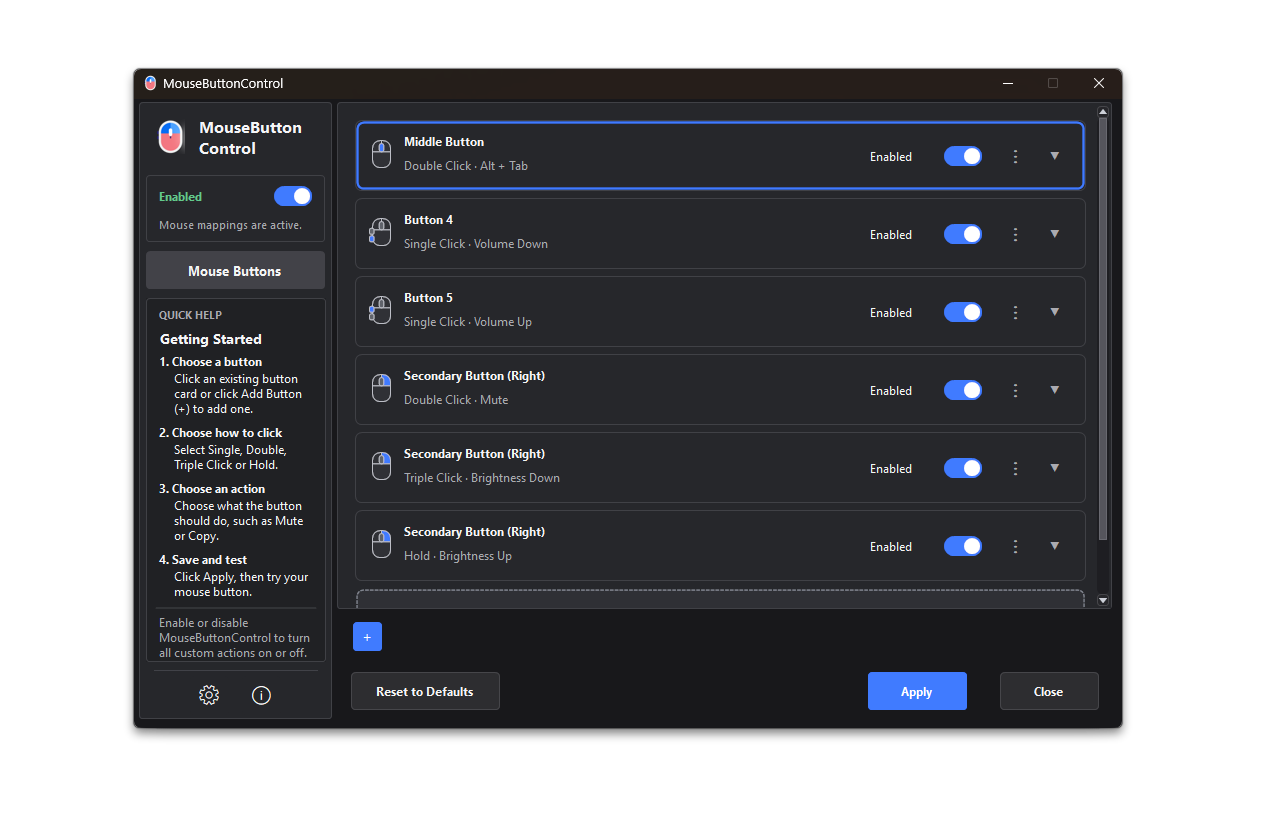

Button Remapping
Customize existing mouse buttons to perform the actions you need.

Multiple Click Patterns
Perform different actions with single, double, triple clicks and hold.

Powerful Actions
Control volume, switch apps, launch programs, copy, paste and more.

Privacy & Freedom
No tracking. No telemetry. No subscriptions.
Give your ordinary mouse extraordinary abilities.
You don't need an expensive gaming mouse or specialized hardware to enjoy advanced mouse functionality. Mouse Button Control transforms your existing mouse into a powerful productivity tool, whether you use a standard three-button mouse or a mouse with additional buttons.
Assign multiple actions to the same button, access your favorite shortcuts and perform everyday tasks without constantly reaching for your keyboard. Make your mouse work the way you want, not just the way it was designed.
Customize Your Existing Mouse
Remap your middle, secondary and additional mouse buttons to perform useful actions. Get more functionality from the mouse you already own without buying new hardware.
One Button, Multiple Actions
Assign different actions to single clicks, double clicks, triple clicks and holds. Use the same button to perform multiple tasks, depending on how you click it.
Your Favorite Shortcuts, One Click Away
Adjust volume, control media playback, switch between applications, copy and paste text, launch programs, manage windows and much more — directly from your mouse.
Stay in Complete Control
Enable or disable individual button mappings or turn off all custom actions instantly. Switch back to your mouse's normal behavior whenever you need to.
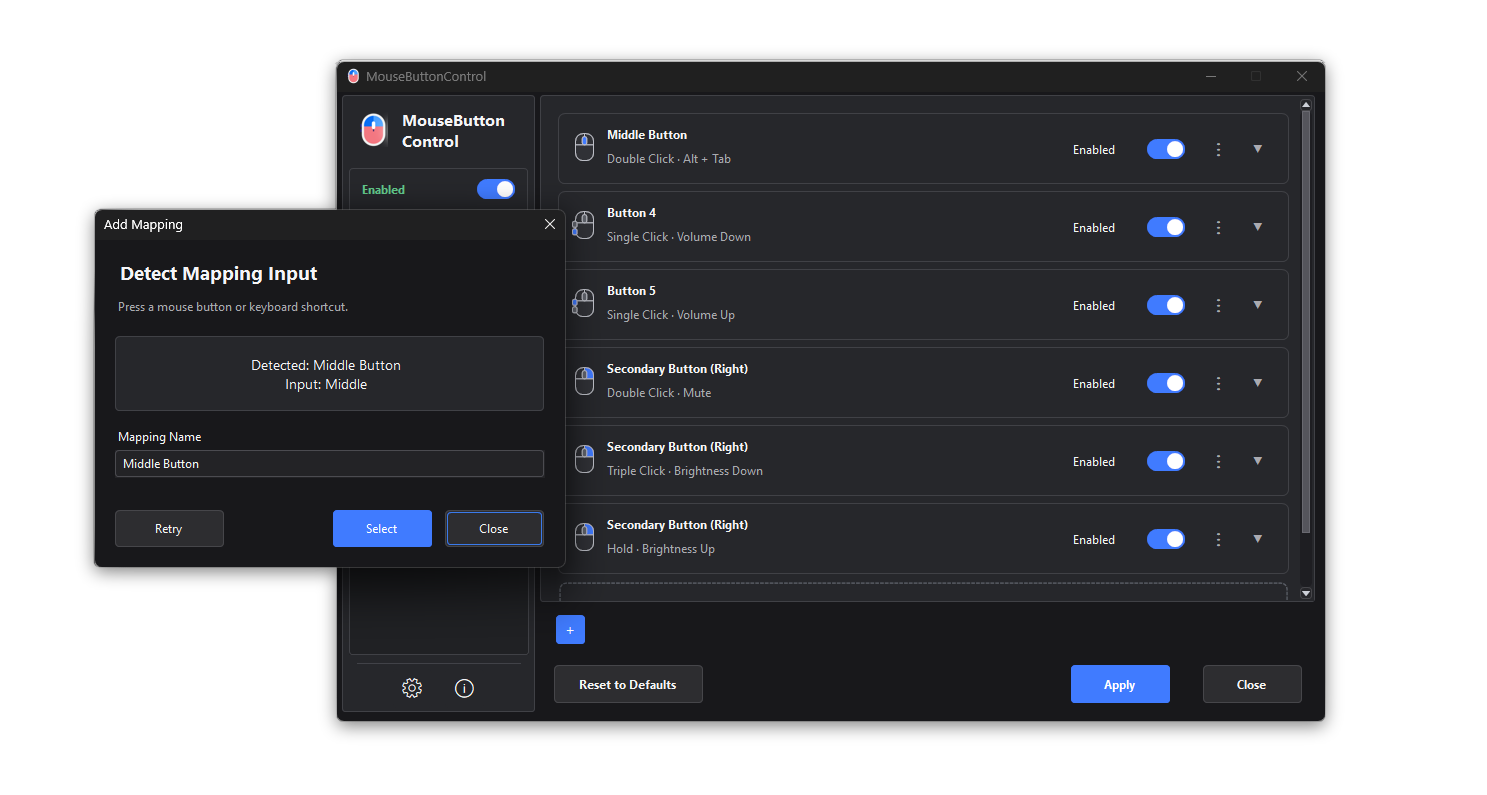
Simple to set up. Easy to use.
No complicated configuration or technical knowledge required. Set up your mouse buttons in seconds and enjoy a more convenient Windows experience.
Choose a Button
Select or detect the mouse button you want to customize.
Assign an Action
Choose a click pattern and the action you want to perform.

Apply & Enjoy
Apply your changes and start using your customized mouse.
Frequently Asked Questions
Do I need a special mouse?
No. Mouse Button Control works with standard mice as well as compatible mice with additional buttons. You can enjoy advanced mouse functionality using the mouse you already own, without purchasing expensive or specialized hardware.
Can I assign multiple actions to the same button?
Yes. You can assign different actions to the same supported mouse button using single clicks, double clicks, triple clicks and holds. Each click pattern can perform a different action, giving you more functionality from a single button.
Can I return to my normal mouse behavior?
Absolutely. You can temporarily disable Mouse Button Control using the global Enable/Disable switch or disable individual actions using the switch on each mapping card. Your saved configurations remain intact and can be re-enabled whenever you need them.
Why does MouseButtonControl not work when the mouse pointer is over certain applications?
Some applications run with administrative privileges, which may prevent MouseButtonControl from detecting mouse button actions when the pointer is over them. To use MouseButtonControl with these applications, run MouseButtonControl as Administrator.
Does Mouse Button Control require a subscription?
No. Mouse Button Control is available as a one-time purchase with a lifetime license. There are no subscriptions or recurring payments.
Can I remap the primary mouse button?
No. To protect essential mouse functionality and prevent accidental loss of control, primary mouse button remapping is intentionally disabled in the current version. You can still customize your secondary, middle and supported additional mouse buttons.
Still have a question? Ask your question here
Ready to do more with your mouse?
Give your everyday mouse new possibilities. Try Mouse Button Control and discover a smarter, more convenient way to use Windows.
Launching Soon
Compatible with Windows 10 and Windows 11